> ## Documentation Index
> Fetch the complete documentation index at: https://help.withwoz.com/llms.txt
> Use this file to discover all available pages before exploring further.
# Quickstart
> Start building your app with Woz in just a few minutes.
## Introduction
Start building your app with Woz in just a few minutes.
This quickstart guide walks you through the basic steps to go from an idea to a working mobile app using Woz. No coding or technical experience is required.
***
## 1. Start for free
All new users receive a 1-day free trial, allowing you to explore Woz and generate your first app without any commitment.
Sign up, create your first project, and begin describing the app you want to build.
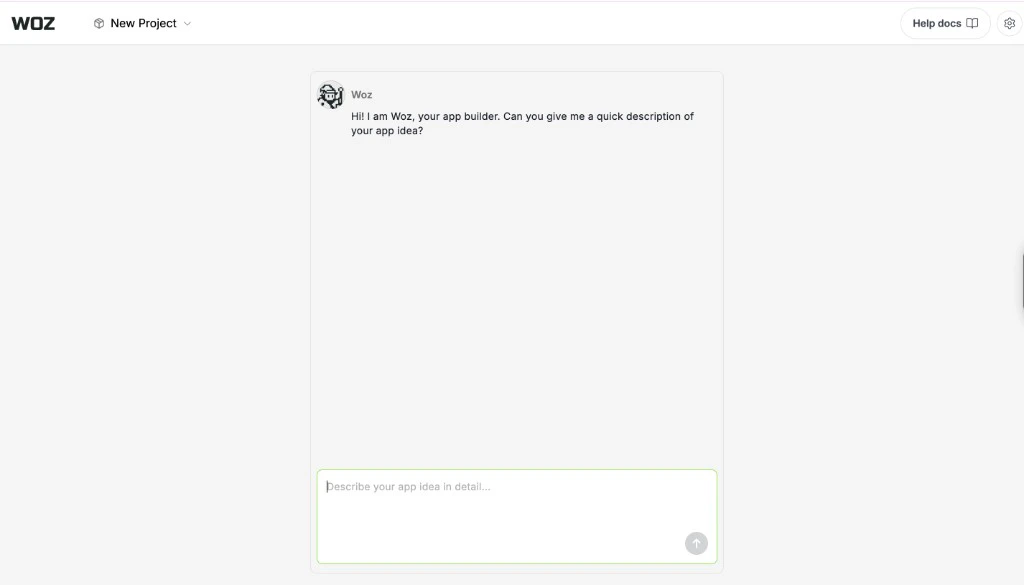 ***
## 2. Describe your app
Woz will ask you a few simple questions to understand your idea.
You will describe:
* What your app does
* Who the app is for
* The features you want
You do not need technical knowledge. Just explain your idea in plain language.
Woz uses this information to understand the structure and functionality your app needs.
Learn more in the [Generating Apps](/guides/generating-apps) guide.
***
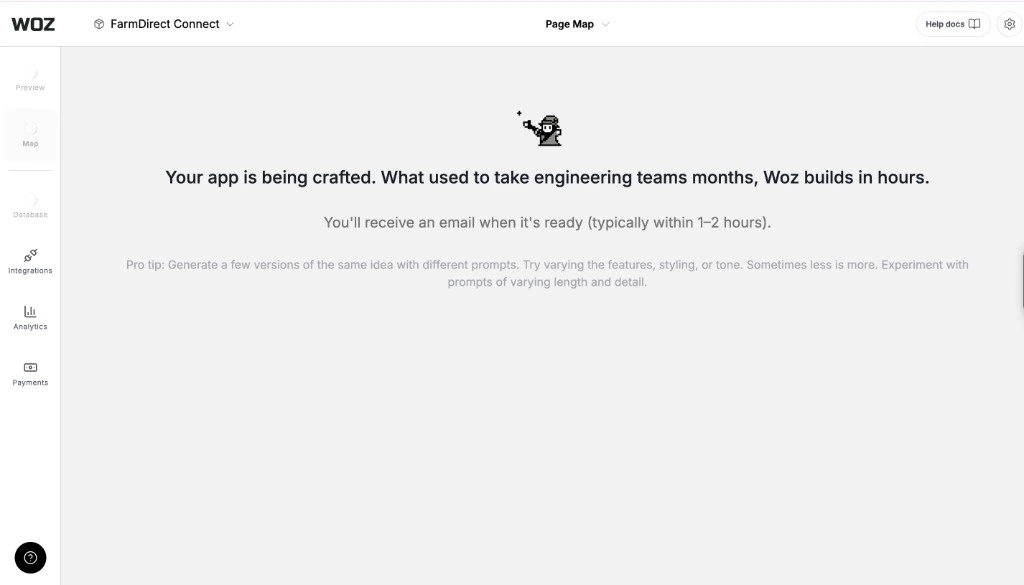
## 3. Generate your app
After you complete the guided questions, Woz generates a full-stack mobile application automatically.
Your generated app includes:
* App navigation and structure
* Screens and core features
* Backend services
* A database for storing app data
Within a few minutes, you will have a working app ready to review.
***
## 2. Describe your app
Woz will ask you a few simple questions to understand your idea.
You will describe:
* What your app does
* Who the app is for
* The features you want
You do not need technical knowledge. Just explain your idea in plain language.
Woz uses this information to understand the structure and functionality your app needs.
Learn more in the [Generating Apps](/guides/generating-apps) guide.
***
## 3. Generate your app
After you complete the guided questions, Woz generates a full-stack mobile application automatically.
Your generated app includes:
* App navigation and structure
* Screens and core features
* Backend services
* A database for storing app data
Within a few minutes, you will have a working app ready to review.
 ***
## 4. Review and iterate
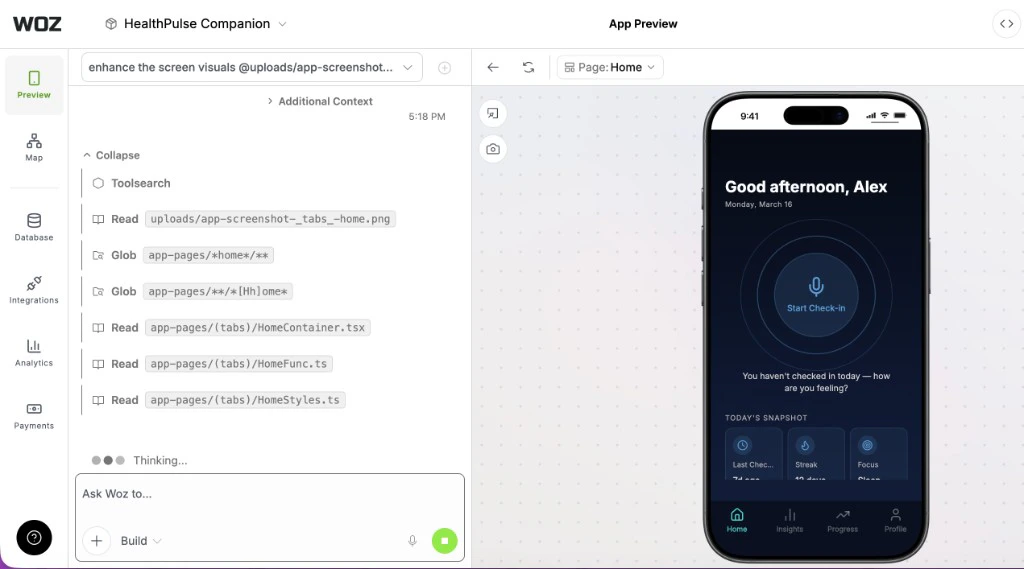
Once your app is generated, you can begin refining it from the App Preview panel.
You can:
* Edit layouts and features
* Add or remove screens
* Update design elements
* Fix bugs
* Restore earlier versions of your app
Woz allows you to iterate quickly by describing changes directly in the chat.
Learn more in the [Editing Your Apps](/guides/editing-your-apps) guide.
***
## 4. Review and iterate
Once your app is generated, you can begin refining it from the App Preview panel.
You can:
* Edit layouts and features
* Add or remove screens
* Update design elements
* Fix bugs
* Restore earlier versions of your app
Woz allows you to iterate quickly by describing changes directly in the chat.
Learn more in the [Editing Your Apps](/guides/editing-your-apps) guide.
 ***
## 5. Publish your app
When you are ready to launch, Woz helps you publish your app to the Apple App Store and Google Play Store.
After submission and approval, your app will be available for users to download.
You can continue improving your app in Woz and release updates over time.
Learn more in the [Publish to the App Store](/guides/publish-to-app-store) guide.
***
## Next steps
Once your first app is generated, explore these guides to learn more:
Learn how to describe your app and generate it with Woz
Refine layouts, features, and design elements
Improve the visual quality of your app
Build faster with Plan Mode, Select Elements, and more
These guides will help you build, refine, and launch your app more effectively with Woz.
***
## 5. Publish your app
When you are ready to launch, Woz helps you publish your app to the Apple App Store and Google Play Store.
After submission and approval, your app will be available for users to download.
You can continue improving your app in Woz and release updates over time.
Learn more in the [Publish to the App Store](/guides/publish-to-app-store) guide.
***
## Next steps
Once your first app is generated, explore these guides to learn more:
Learn how to describe your app and generate it with Woz
Refine layouts, features, and design elements
Improve the visual quality of your app
Build faster with Plan Mode, Select Elements, and more
These guides will help you build, refine, and launch your app more effectively with Woz.